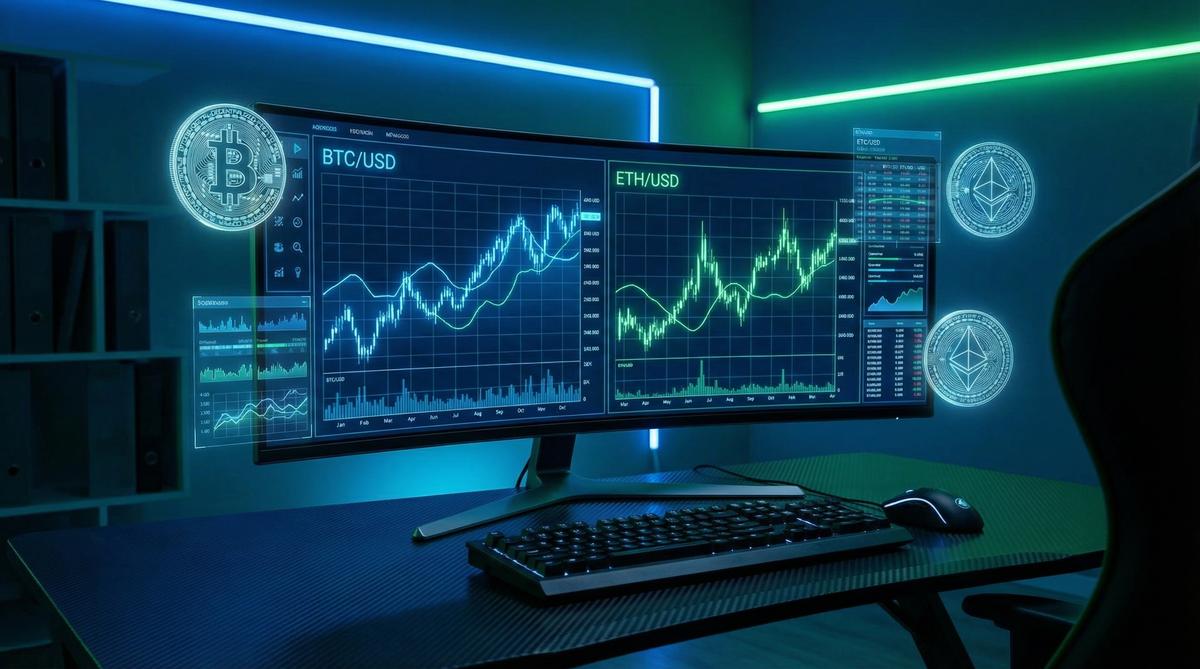
How to Track Your Crypto Exchange Portfolio: Beginner’s Tools and Tips
Hey there! If you’ve recently dipped your toes into the exciting world of cryptocurrency, you probably already know that keeping tabs on your investments is crucial. But let’s be honest—crypto markets move fast, and watching all your coins across multiple exchanges can get overwhelming real quick. That’s where portfolio tracking tools come into play. They help you stay organized, know your gains and losses, and make smarter decisions without the headache.
I’m Alex Chen, and as someone who’s been navigating crypto exchanges since the early days, I want to share the beginner-friendly tools and tips that have helped me—and many others—track portfolios like a pro. Ready? Let’s dive in.
Why Tracking Your Crypto Portfolio Matters
First up: why bother tracking your crypto portfolio? It might sound obvious, but many newcomers underestimate how critical it is to have a clear, accurate picture of their holdings.
- Know your real-time value: Crypto prices fluctuate wildly—sometimes by double digits in a day. Tracking apps update your portfolio’s worth in real time, so you’re never in the dark.
- Stay organized across exchanges: Most traders don’t stick to one platform. You might have Bitcoin on Coinbase, Ethereum on Binance, and some altcoins on smaller exchanges. A tracker consolidates all that data into one place.
- Tax time made easier: Tracking tools generate reports to help you calculate capital gains and losses—major stress relief during tax season.
- Spot trends and rebalance: Seeing how each asset performs over time helps you decide when to buy more, hold, or sell.
Without good tracking, you risk missing out on opportunities or making decisions based on outdated info. Trust me, I’ve been there.
Popular Crypto Portfolio Tracking Tools for Beginners
Now, let’s talk about the tools themselves. When choosing a portfolio tracker, consider ease of use, supported exchanges, security, and pricing. Here’s a quick rundown of some of the most beginner-friendly options:
| Tool | Supported Exchanges | Key Features | Pricing | Best For |
|---|---|---|---|---|
| CoinGecko | 100+ (manual and API) | Price tracking, portfolio tracking, DeFi stats, mobile app | Free | Complete beginners who want a simple interface |
| Blockfolio (now FTX App) | 100+ exchanges (API + manual) | Real-time price alerts, portfolio tracking, news feed, mobile app | Free | Mobile-first users wanting price alerts |
| CoinTracker | 300+ exchanges and wallets | Automatic syncing, tax reports, portfolio analytics | Free for up to 25 transactions; Paid plans from $49/year | Users needing comprehensive tax tools |
| Delta | 300+ exchanges and wallets | Portfolio tracking, news, alerts, mobile & desktop | Free + Pro subscription from $60/year | Active traders who want detailed analytics |
Personal Favorite: CoinTracker
Out of all these, I recommend CoinTracker for beginners who want a hassle-free way to sync their exchange accounts and wallets automatically. It’s secure, easy to use, and its tax reporting features are a lifesaver when filing your crypto taxes. Plus, the interface is clean, so it’s not intimidating if you’re new.
If you want to get started quickly, you can sign up here and link your exchange accounts. It supports major players like Coinbase, Binance, Kraken, and more.
How to Set Up Your Crypto Portfolio Tracker (Step-by-Step)
Let me walk you through the basics of setting up a portfolio tracker. I’ll use CoinTracker as an example, but most steps are similar across platforms.
- Create an account. Visit the website or download the mobile app and sign up with your email.
- Connect your exchange accounts. Use API keys from your exchanges to allow the tracker read-only access to your trades and balances. Don’t worry—this is secure and you never give withdrawal access.
- Add wallets manually or via integration. If you use hardware wallets or receive coins outside exchanges, enter your wallet addresses so the app can track those holdings too.
- Review and categorize transactions. Some trackers let you label transactions (e.g., buys, sells, transfers) to keep your portfolio organized.
- Set price alerts and notifications. Customize alerts so you know when assets reach a certain price or your portfolio hits a target value.
Once set up, your portfolio’s value updates automatically, and you can check performance over time or by individual asset.
Tips to Get the Most Out of Your Portfolio Tracker
1. Regularly Update Manual Entries
Even the best API integration can miss some transactions—especially if you trade on multiple platforms or use blockchain wallets. Take some time weekly or monthly to add any trades or transfers manually. It’ll keep your portfolio accurate, which matters for tax reporting and personal insights.
2. Pay Attention to Security
When syncing your exchange accounts, always generate API keys with read-only permissions. Never share your passwords, and enable two-factor authentication on both your exchange and portfolio tracker accounts. Your financial safety comes first.
3. Use Mobile Apps for On-The-Go Updates
Many tracking tools have great mobile apps, so use them! I often check my portfolio during breaks or commutes to spot trends and price movements. Staying informed helps me avoid panic selling or missing buying opportunities.
4. Explore Tax Reporting Features
If you’re in the US or other countries where crypto is taxable, use trackers that generate tax reports. CoinTracker, for example, can calculate capital gains using different accounting methods (FIFO, LIFO) and create detailed IRS forms. Trust me, this simplifies tax season tremendously.
How Portfolio Tracking Fits Into Your Crypto Journey
Tracking your portfolio isn’t just about numbers. It’s about mindset. Having a clear overview of your investments builds confidence and helps you avoid emotional decisions based on fear or hype. I often see beginners get caught up in the rollercoaster of daily price swings, only to realize later they could have held steady.
By tracking your portfolio thoughtfully, you empower yourself to make better choices, whether that’s holding for the long term, taking profits, or reallocating assets. It’s a simple tool that makes a big difference.
Affiliate Offer to Get You Started
If you’re ready to organize your crypto investments and start tracking like a pro, I highly recommend giving CoinTracker a try. It connects to all major exchanges, supports wallets, and offers free plans perfect for beginners. Plus, their tax features save you countless hours during filing season.
Getting started is super easy—just sign up, link your accounts, and watch your portfolio come to life with real-time updates and insights.
Frequently Asked Questions
Q1: Do I have to pay for a crypto portfolio tracker?
Not necessarily. Many apps like CoinGecko and Blockfolio offer free portfolio tracking with basic features. Paid plans usually add advanced analytics, tax reports, or higher transaction limits, but beginners can often do just fine with free options.
Q2: Is it safe to connect my exchange accounts to these tools?
Yes, as long as you use API keys with read-only permissions and enable two-factor authentication. Trusted trackers do not have withdrawal access and follow strong security practices.
Q3: Can I track decentralized wallets like MetaMask or Ledger?
Definitely. Most trackers allow you to add wallet addresses to monitor balances and transactions on the blockchain, even if the funds aren’t on exchanges.
Q4: How often should I update my portfolio?
It depends on your activity. If you’re an active trader, daily or weekly updates are ideal. For long-term holders, monthly checks are usually sufficient.
Q5: Will tracking tools help me with crypto taxes?
Yes! Many portfolio trackers provide tax reports that calculate gains and losses automatically, compatible with tax software or formatted for tax authorities. This feature is invaluable when tax season arrives.
Wrapping It Up
Starting out in crypto can feel a little chaotic, especially when juggling multiple coins and exchanges. But with the right portfolio tracking tools and some simple habits, you’ll stay organized, informed, and confident in your decisions. Whether you’re using a free app like CoinGecko or a more robust platform like CoinTracker, the key is consistency and accuracy.
So, why not make your crypto journey smoother today? Sign up for CoinTracker and see how effortless staying on top of your investments can be.
Happy trading and tracking!
— Alex Chen